An ADHD task manager for iPhone that does the sorting for you
No setup, no decisions about what goes where — just open the app and see what matters today.
BetterKeeper is built around a Smart Today View that automatically sorts everything into Scheduled, Due Today, Overdue, Upcoming, and Ongoing — so there's nothing to organize before you can get organized. Recurring tasks, templates, and home screen widgets keep the system running with almost no upkeep, in a calm, uncluttered design.

Most task apps need a system before they're useful — and building the system is the hard part
Folders, tags, custom views, filters, color-coding rules — by the time a typical task app is "set up properly," it's already exhausting. For an ADHD brain, that setup step is often where the app gets abandoned, long before it ever helps with the actual day.
And even apps that get used tend to become one more pile: a list that keeps growing, with overdue items buried next to things due in three weeks, no clear sense of what to do right now. Out of sight is out of mind — if it's not in front of you, it doesn't exist.
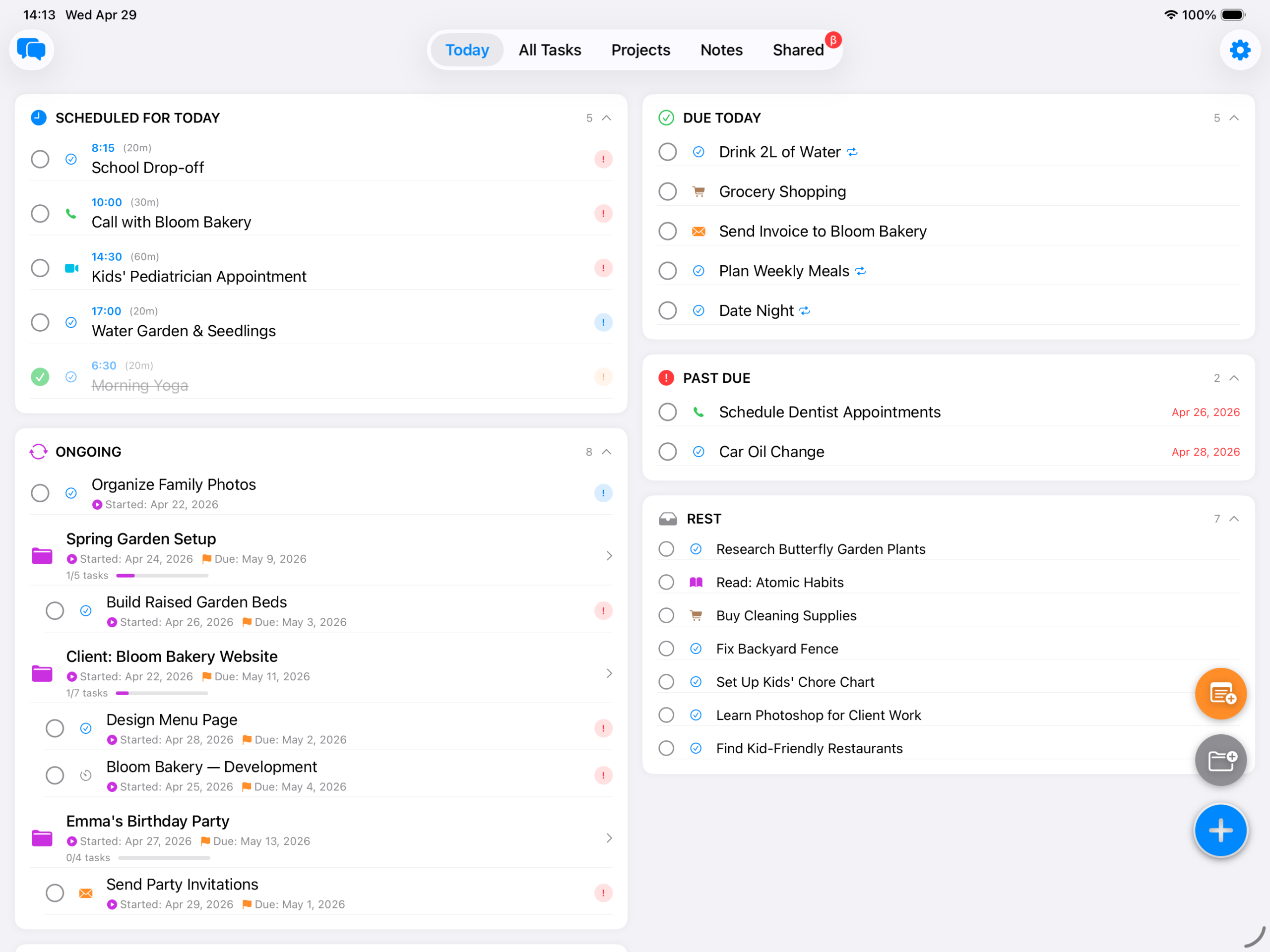
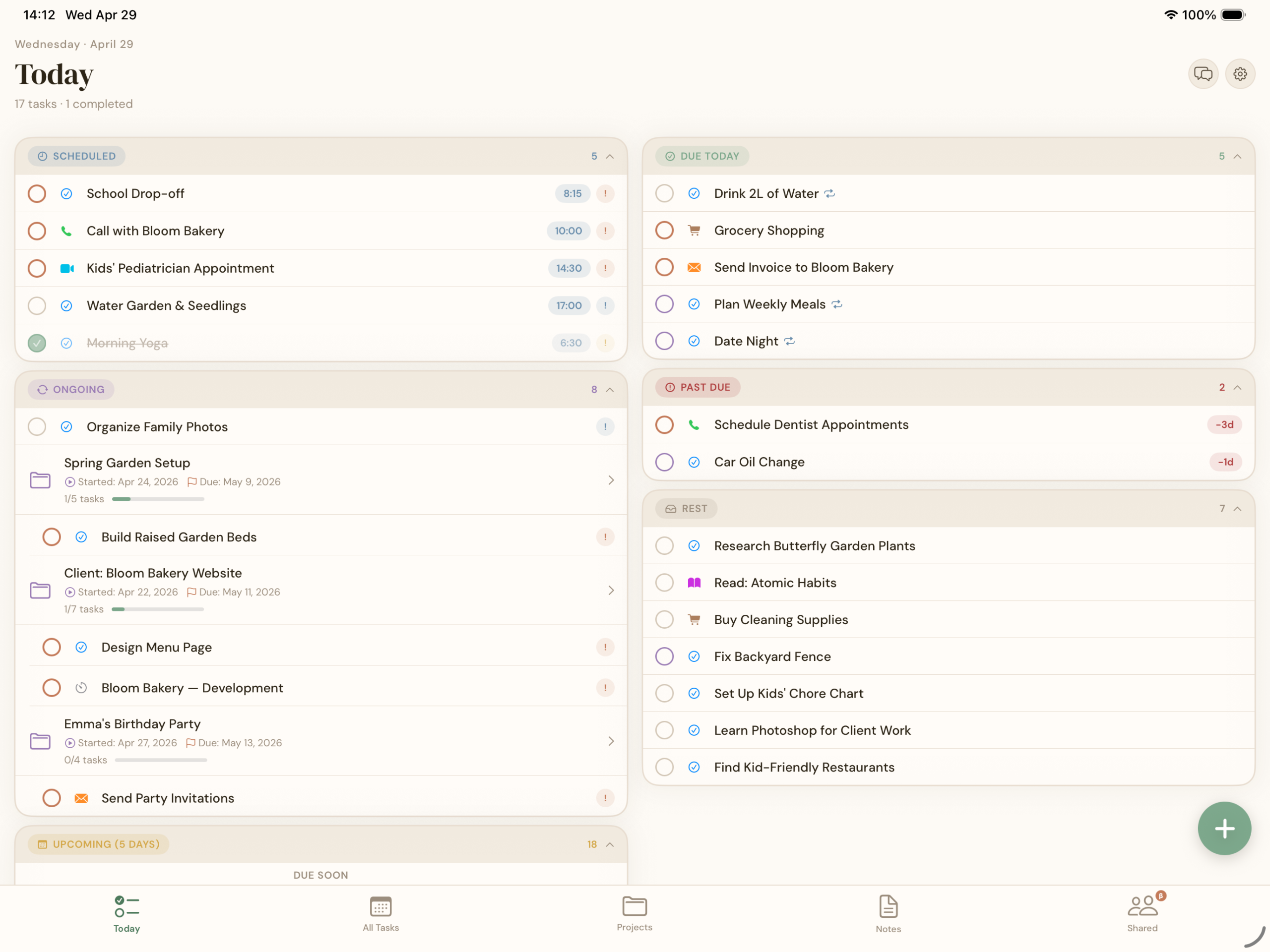
One view, sorted for you, every time you open the app
BetterKeeper's Today view does the sorting automatically: Scheduled, Due Today, Overdue, Upcoming, and Ongoing, every time you open the app. There's no inbox to triage and no decision to make about where something goes — add a task with a date, and it appears in the right section on its own.
Overdue items stay visible at the top instead of getting lost at the bottom of a long list, so nothing quietly slips away. And because the whole system runs on dates rather than manual organizing, there's very little upkeep required to keep it working.
Built to lower the friction at every step
-
Smart Today View Scheduled, Due Today, Overdue, Upcoming, and Ongoing — sorted automatically every time you open the app. Nothing to file, nothing to triage.
-
Recurring tasks Daily, weekly, monthly, or custom — set a routine once and it keeps showing up on its own, with nothing to recreate or remember.
-
Task templates Save a checklist once — a morning routine, a packing list, a weekly review — and launch the whole thing with one tap whenever you need it.
-
Home screen widgets Today, Upcoming Tasks, and Ongoing Projects widgets keep your list visible on your home screen — out of sight is no longer out of mind.
-
Priorities & colour-coded labels Mark what actually matters with High, Medium, or Low and a colour tag — a quick visual cue for what to tackle first without re-reading every item.
-
Calm, uncluttered themes Choose the warm, paper-like Soft Organic look or the clean System theme — either way, the interface stays simple and visually quiet.