Recurring tasks on iPhone that actually keep up with how you work
Daily, weekly, monthly, or fully custom — set it once and BetterKeeper handles the rest.
BetterKeeper's recurring task engine lets you automate any repeating workflow on iPhone, iPad, and Mac. Weekly reviews, monthly invoices, daily standups — create the task once with the recurrence you need, and it reappears automatically on the right day, every time. No re-entering, no forgetting.
Re-creating the same tasks every week is wasted effort
Every week you write the same tasks: review finances, send the status update, prep for Monday's call. Every month the same: invoice clients, back up the drive, check subscriptions. The tasks never change — but you keep entering them manually, one by one.
Apple Reminders has basic recurrence, but it's limited — no flexible custom intervals, no recurrence per task within a project, and no way to see all your recurring tasks in one place. Most users end up with a mess of reminders that don't quite match how they actually work.
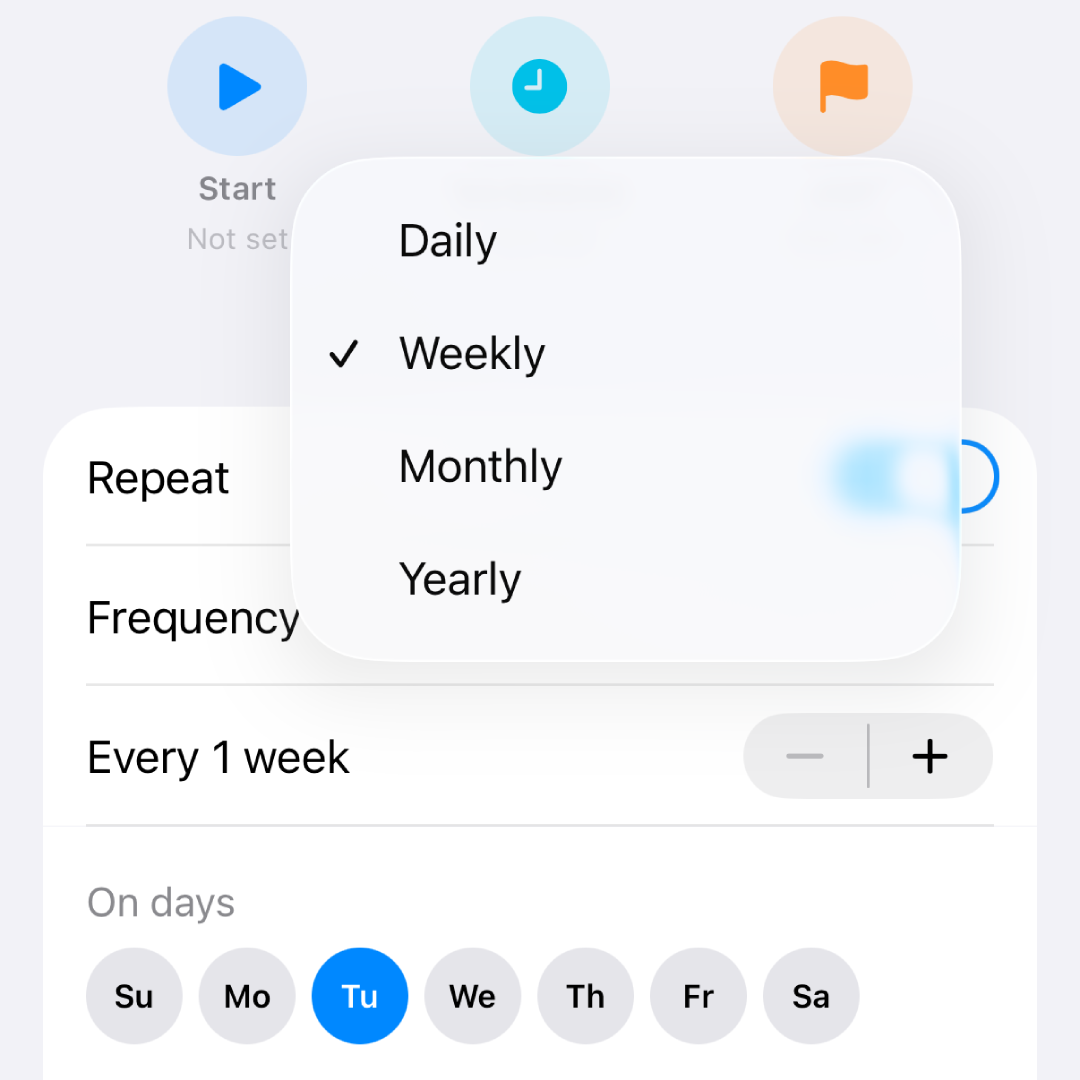
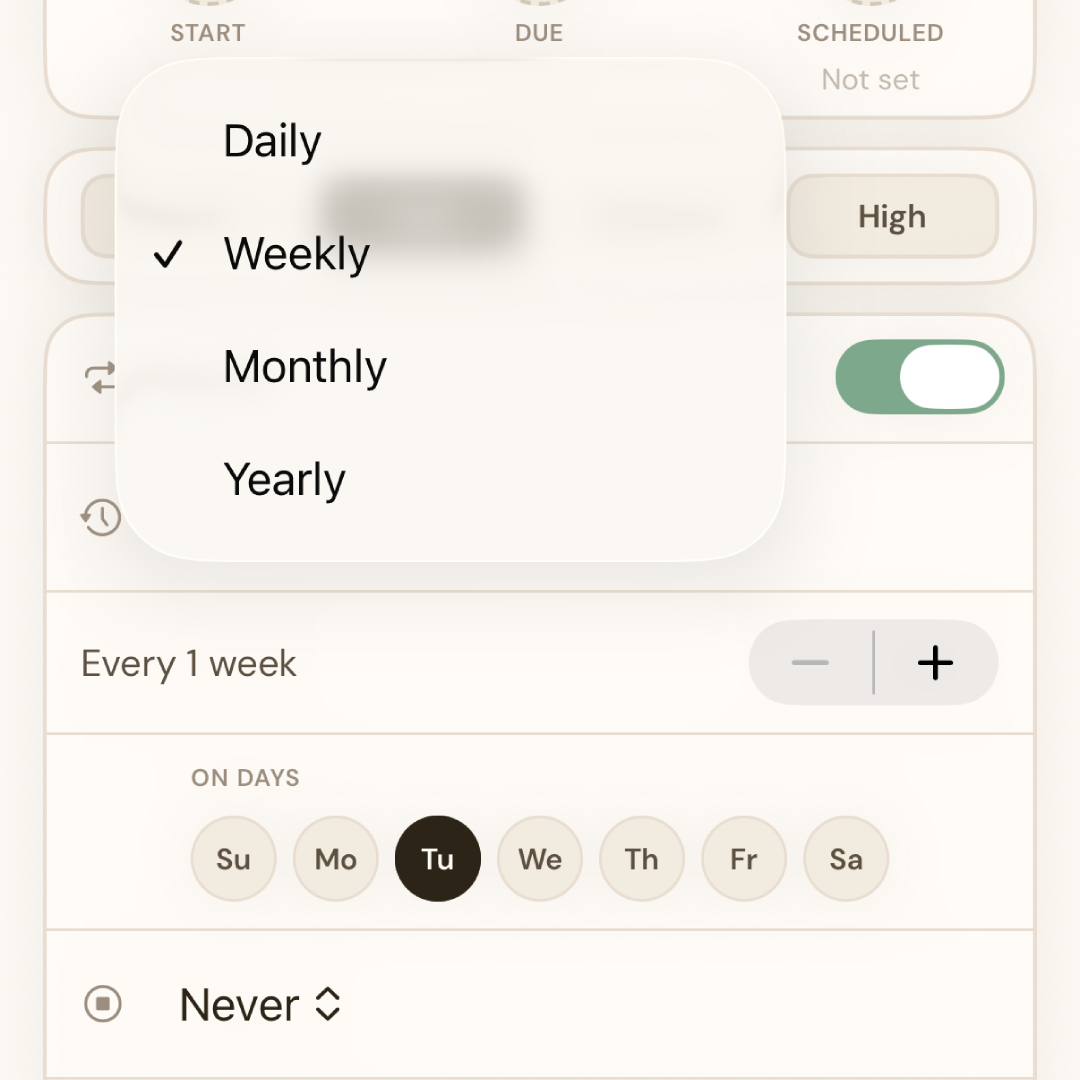
Set any recurrence pattern once — BetterKeeper resurfaces the task automatically
When creating or editing any task, choose a recurrence: daily, weekly on specific days, monthly on a date, or a fully custom interval. BetterKeeper regenerates the task automatically after each completion — it appears in your Today view exactly when it's due, with all its notes, priority, and project intact.
Recurring tasks are full BetterKeeper tasks — they live inside projects, carry notes, support time tracking, and can be shared with collaborators. There's no separate "recurring" section to manage. Your repeating workflows just appear where they belong, when they belong.
Recurring tasks done right — flexible, automatic, fully integrated
-
Daily, weekly, monthly, and custom intervals Repeat every day, on specific weekdays, on the 1st of each month, every two weeks — whatever pattern fits your workflow. Not just "daily" or "weekly" boxes to tick.
-
Auto-regenerates after each completion Complete a recurring task and the next instance appears automatically on its next due date. You never have to recreate it — just work through your list and let BetterKeeper handle the scheduling.
-
Notes and context carry forward Any notes, checklists, or attachments on a recurring task are preserved across each new instance. Your weekly review template stays intact every week — no rebuilding.
-
Lives inside projects Recurring tasks belong to projects like any other task. A weekly client check-in lives inside the client project. A daily writing task lives in your content project. Context is always right.
-
Surfaces in Today view automatically Recurring tasks appear in BetterKeeper's Smart Today view on the day they're due — alongside your other scheduled and overdue tasks. One view, all your work for the day.
Up and running in minutes
Common questions about recurring tasks on iPhone
Can I set a task to repeat on specific days of the week?
What happens to my notes if I edit a recurring task?
Can recurring tasks be part of a project?
Does BetterKeeper have better recurring tasks than Apple Reminders?
Do recurring tasks sync across iPhone, iPad, and Mac?
Stop recreating the same tasks every week
Set up your recurring tasks once in BetterKeeper and let the app handle the scheduling from here. Free for 30 days — no card required.
