A to-do list app for iPad that uses the full screen — not just a stretched phone layout
Tasks, projects, notes, and calendar — in one native iPad app, designed for the bigger display.
Most task apps on iPad are just the iPhone version with wider margins. BetterKeeper is built natively for Apple devices, so it takes advantage of the iPad's screen real estate — a sidebar, a detail panel, and enough room to manage projects, write notes, and check your calendar without switching views. Everything syncs through iCloud across your iPhone, iPad, and Mac.

An iPad has a laptop-sized screen — so why does your to-do app look like a phone?
You bought an iPad for its screen space, but most task apps treat it as an afterthought. Open them on an iPad and you get the same single-column list from your phone, just wider, with empty space on both sides. Tap a task to see details, and the list disappears. Want to check the calendar? That's a separate screen entirely.
It's usable, but it doesn't feel like an iPad app — it feels like an iPhone app that happens to run on a bigger display. And that's a waste of the device you're actually trying to work on.
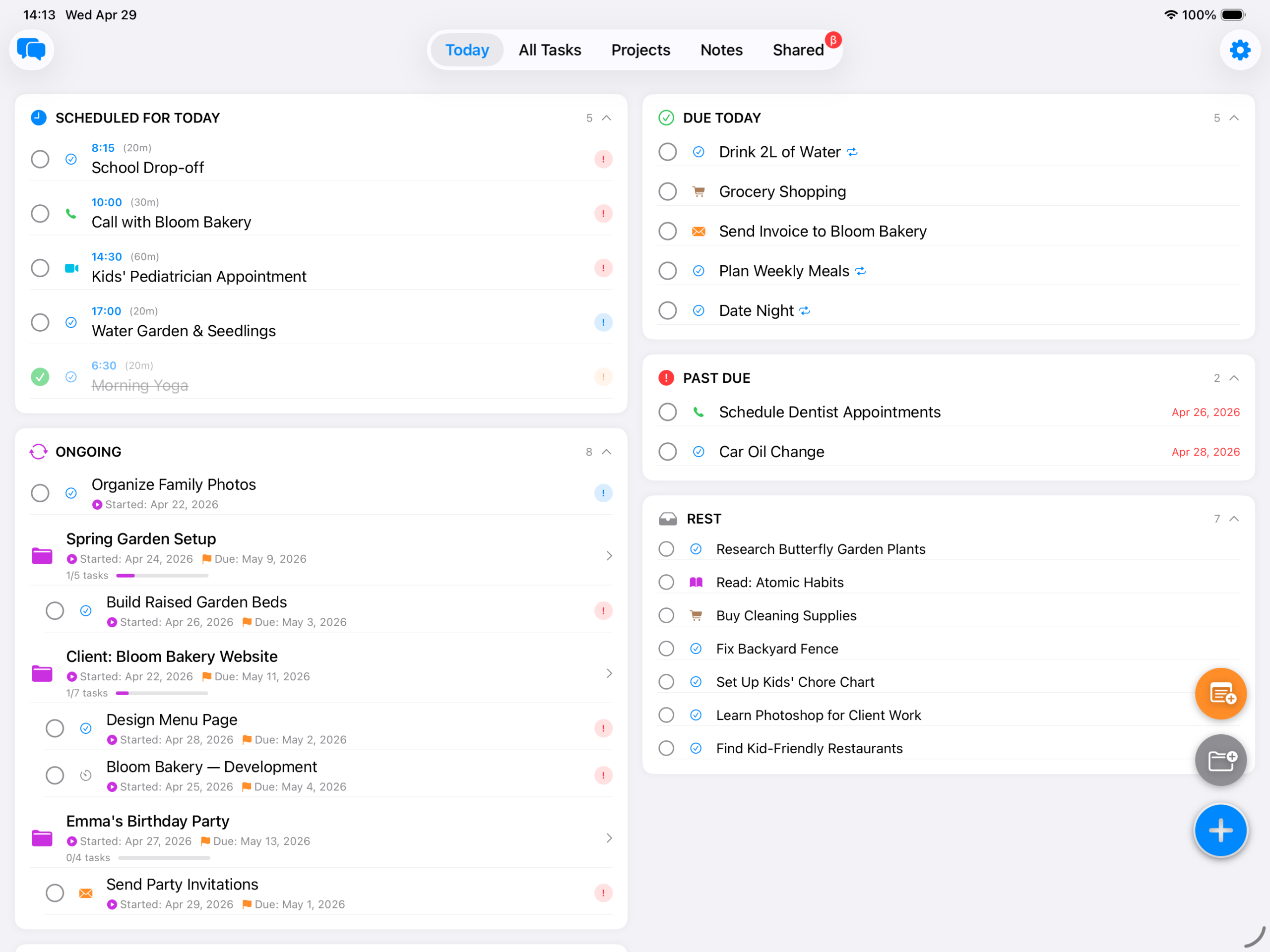
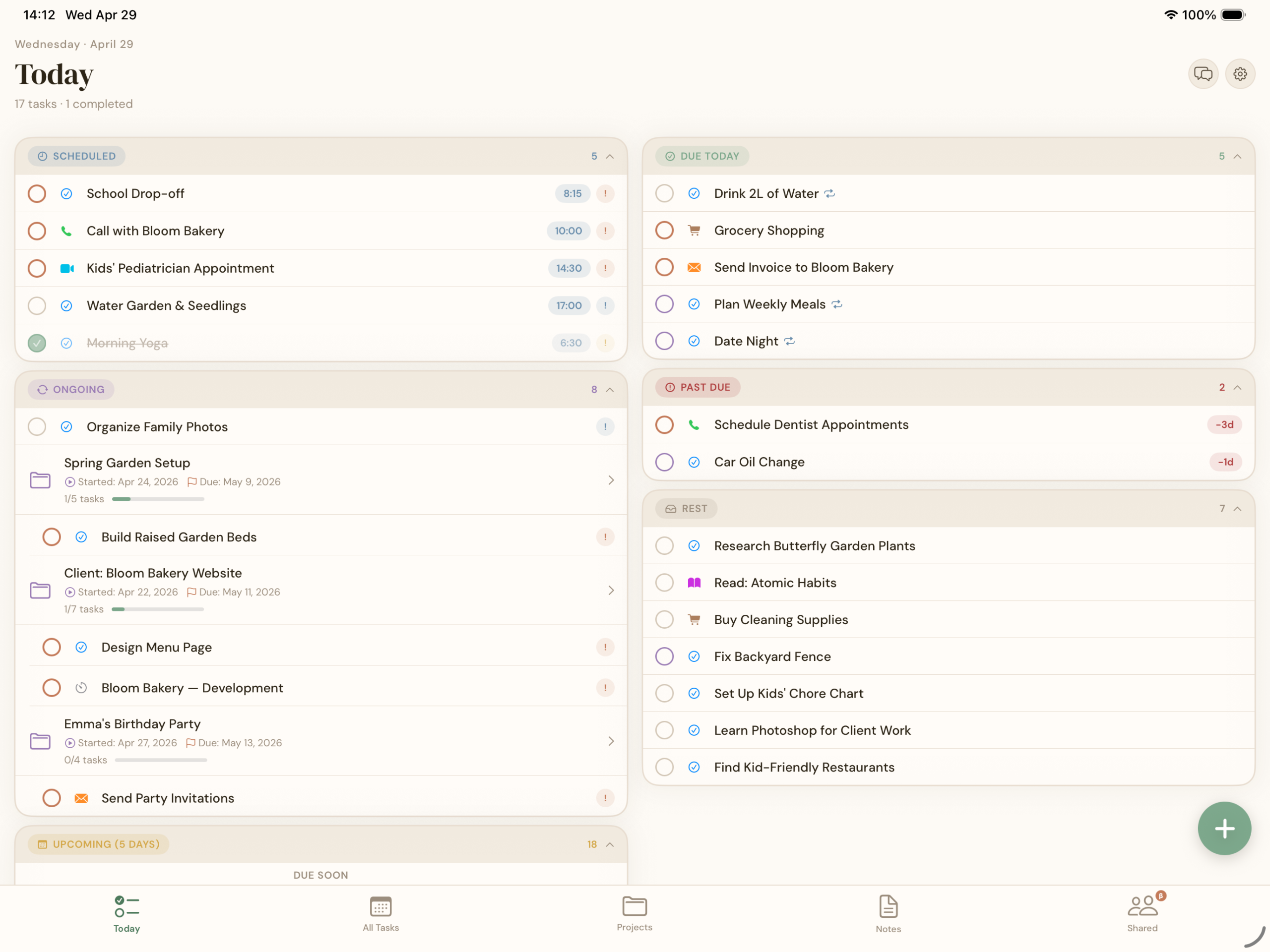
A native iPad layout that puts your tasks, projects, and notes side by side
BetterKeeper is built in SwiftUI, so it adapts naturally to the iPad's screen. You get a sidebar for navigation — Today, Projects, Notes, Calendar — and a detail panel for whatever you're working on. Tap a project and see its tasks without losing your place. Open a note alongside a task list. View your calendar with today's tasks visible at the same time.
It's the same app that runs on your iPhone and Mac, but the layout shifts to match the device. No wasted space, no single-column phone view pretending to be an iPad app.
Every feature, designed for the iPad screen
-
Smart Today View Scheduled, Due Today, Overdue, Upcoming, and Ongoing — auto-sorted every time you open the app, with room to see task details alongside the list.
-
Projects with progress tracking Group tasks into projects with deadlines and a progress bar — on iPad, you can browse projects and view task details at the same time.
-
Rich text notes Formatted notes attached to tasks or projects — with the iPad's larger screen, writing and reading notes finally feels like it has room to breathe.
-
Calendar view See your tasks on a calendar — on iPad, the monthly overview and daily detail sit comfortably side by side instead of being stacked or paginated.
-
Home screen & Lock Screen widgets Today, Upcoming Tasks, Ongoing Projects, and Dashboard widgets — on iPad's larger home screen, they're even more useful at a glance. See all widget options.
-
Synced across iPhone, iPad, and Mac Add a task on your iPhone, edit it on your iPad, check it off on your Mac — iCloud keeps everything in sync automatically.