iOS widgets that put your to-do list right on your home screen
Today's tasks, upcoming deadlines, and project progress — visible the moment you pick up your phone, no app to open.
BetterKeeper includes four home screen widgets — Today, Upcoming Tasks, Ongoing Projects, and Dashboard — in multiple sizes, matching whichever theme you use in the app. Add the one (or three) that fit how you plan your day, and your to-do list becomes part of your home screen instead of something you have to remember to check.

A to-do list only helps if you actually look at it
Most task apps live behind an icon like everything else on your phone — which means checking your list is a deliberate act. Unlock phone, find the app, open it, read the list, close it. On a busy day, that extra step is often the difference between a task getting done on time and it getting forgotten until it's overdue.
And for anything you check often — what's due today, how a project is progressing — opening a full app just to glance at a few lines feels like overkill, so people stop checking at all.
Four widgets, built for the moments you actually glance at your phone
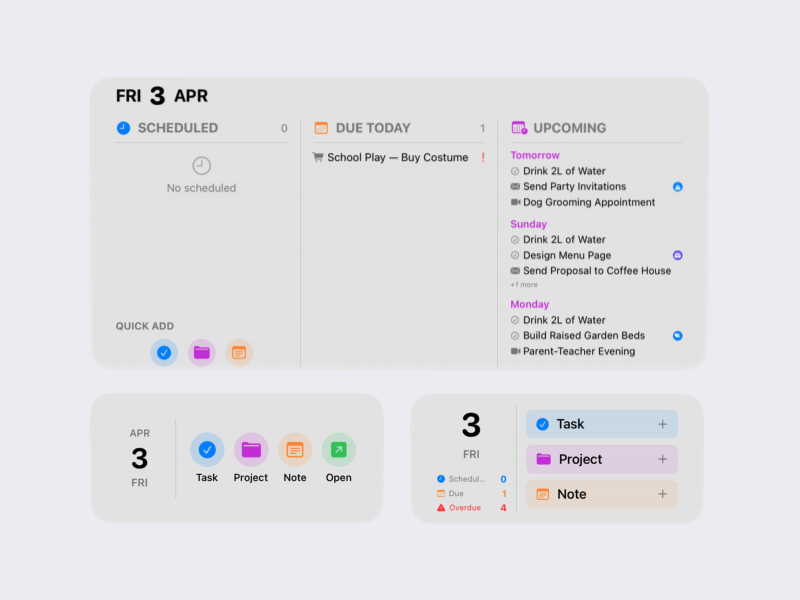
The Today widget shows what's scheduled, due, or overdue — exactly the Today view, shrunk to a glance. The Upcoming Tasks widget looks a little further ahead, so nothing due tomorrow catches you off guard. Ongoing Projects shows live progress bars for whatever you're actively working on, and Dashboard combines a bit of everything into one overview tile.
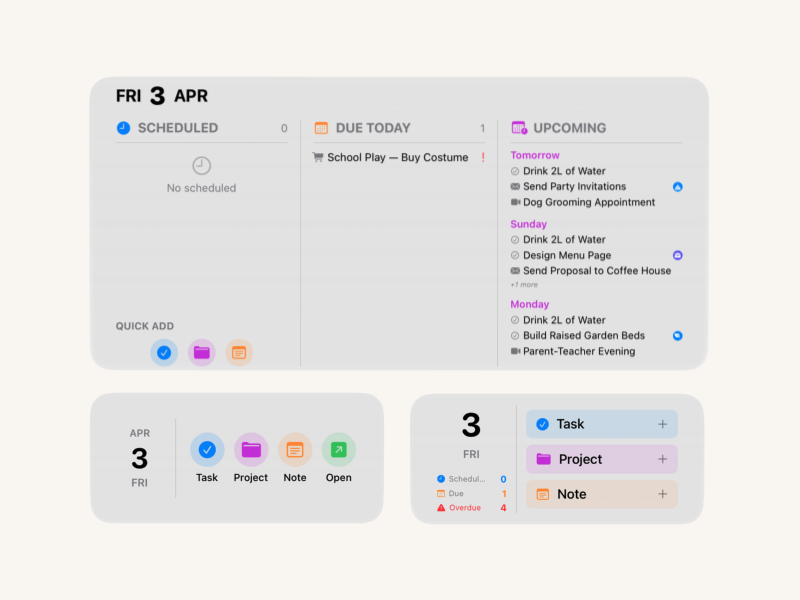
Every widget comes in small, medium, and large sizes, and automatically matches whichever theme — Soft Organic or System — you've chosen in the app. Mix and match across your home screen, or stack a few in a widget stack to flip between them with a swipe.
Four widgets, every size, both themes
-
Today widget Scheduled, Due Today, and Overdue tasks at a glance — the same sorting as the in-app Today view, shrunk down to your home screen.
-
Upcoming Tasks widget See what's coming over the next few days, so deadlines don't sneak up the moment they become "due today."
-
Ongoing Projects widget Live progress bars for your active projects — check how close you are to done without opening the app.
-
Dashboard widget A combined overview — a slice of today's tasks and project progress together in a single tile.
-
Small, medium, and large sizes Every widget adapts to the size you place — a quick count in small, a short list in medium, more detail in large.
-
Matches your theme automatically Soft Organic or System — whichever theme you use in the app, your widgets match it, so your home screen feels consistent.