For Couples & Families

A shared to-do list app that keeps everyone on the same page — through iCloud

Share projects with your partner or family, track progress together, and chat without leaving the app.

Grocery runs, home projects, holiday planning, chore schedules — the stuff that falls apart when it lives in one person's head or a group chat nobody reads. BetterKeeper lets you share projects via iCloud, so everyone sees real-time progress, gets their own tasks, and can chat in a built-in channel. No accounts to create, no apps your partner won't install — just your Apple IDs.

The Problem

Shared lists that only one person ever updates aren't really shared

You've tried the group chat approach — "can you pick up milk" — and it works until the message gets buried under fifteen unrelated texts. Apple Reminders has shared lists, but they're flat: no projects, no progress bars, no way to see who's done what without asking. And most task apps want both people to create accounts and learn a new tool before anything gets shared.

The result is one person managing everything in their head (or their app) and the other person waiting to be told what to do — which isn't really collaboration, it's delegation with extra steps.

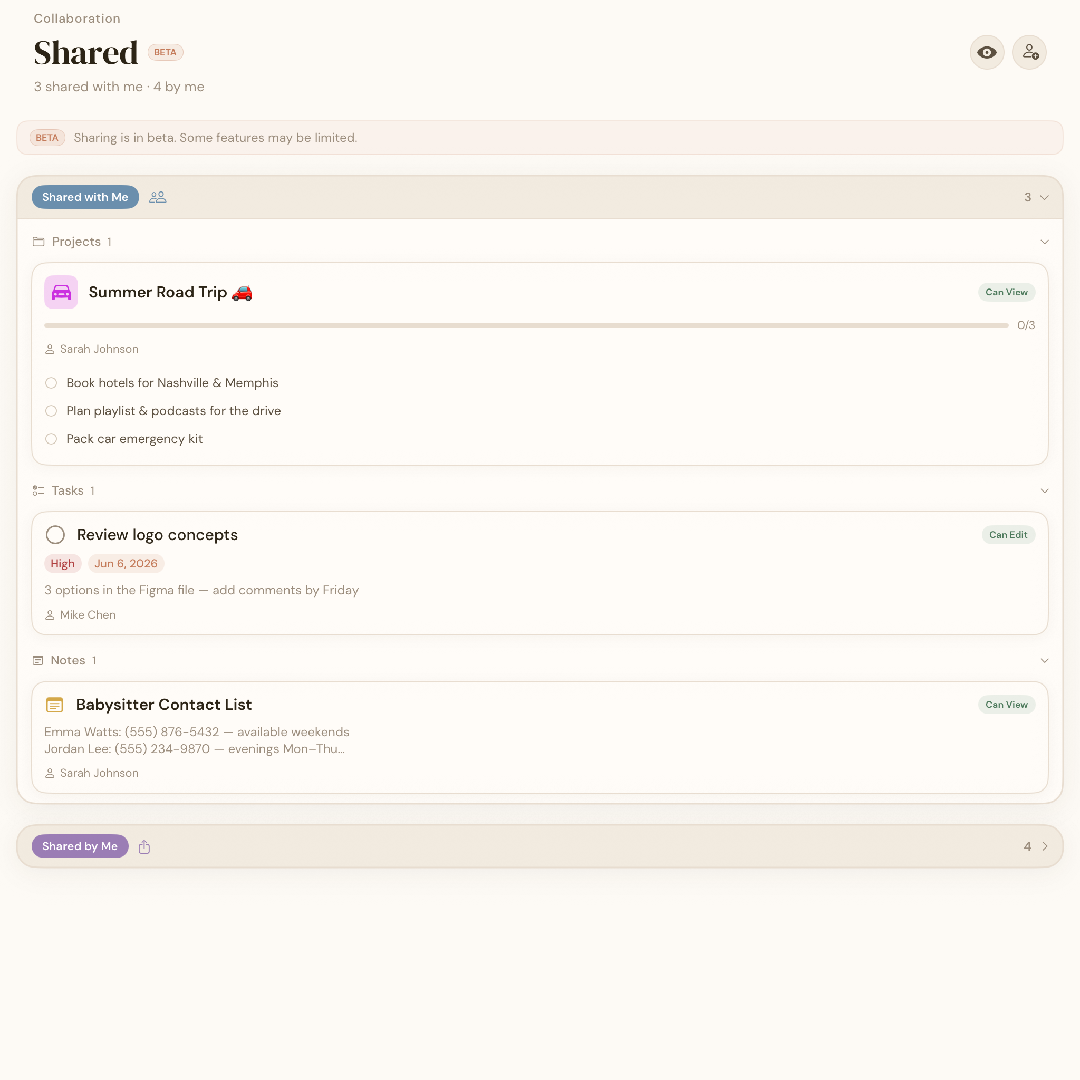
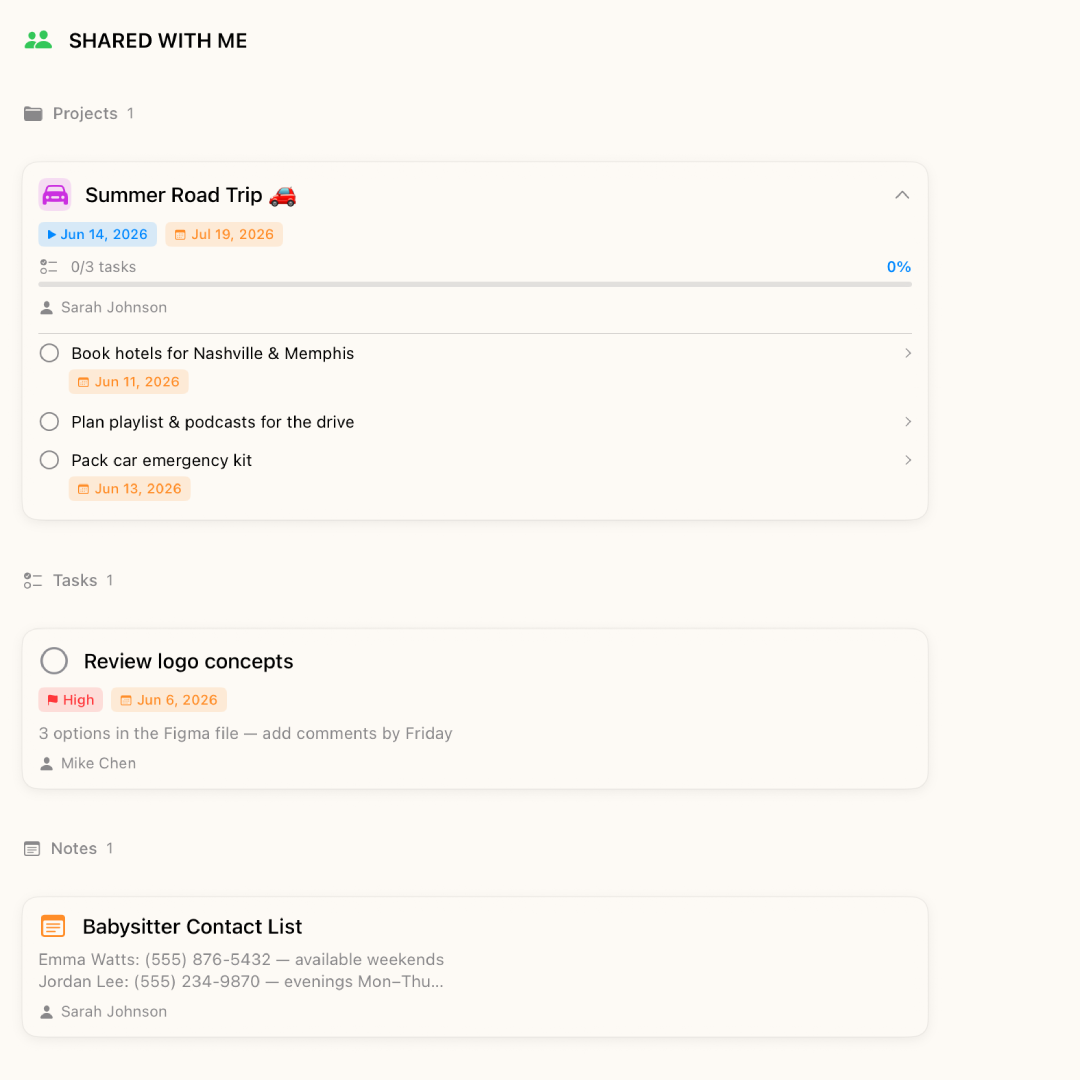
BetterKeeper shared project with real-time progress BetterKeeper shared project with real-time progress
The Solution

Share a project, not just a list — everyone sees progress in real time

Create a project — "Kitchen Reno," "Summer Trip," "Weekly Groceries" — add tasks with deadlines, and share it via iCloud. Your partner or family member gets the project in their BetterKeeper app with live progress, individual tasks, and a built-in chat channel. Complete a task on your phone and everyone else sees it update instantly.

No accounts to create, no passwords to remember, no third-party server holding your family's data. Everything syncs through your personal iCloud — the same way your photos and contacts already do.

What's Included

Built for how couples and families actually share tasks

  • iCloud project sharing Share any project with a partner, family member, or friend via iCloud — they see the same tasks, progress, and deadlines you do, updated in real time.
  • Built-in project chat Each shared project has its own chat channel — discuss what needs doing without switching to Messages or losing context in a group thread.
  • Progress tracking Every project shows a percentage complete — so both of you can see at a glance how close you are to finishing the renovation, the move, or the holiday plan.
  • Recurring tasks for routines Chores, grocery runs, bill reminders — set them up once and they reappear automatically, so the mental load doesn't fall on one person.
  • No accounts, no servers BetterKeeper uses your Apple ID — no emails, no passwords, no third-party server storing your family's data. Just iCloud.
  • Works on iPhone, iPad, and Mac Add a task on your phone, check it off on your Mac — everything stays in sync across every Apple device in the household. See BetterKeeper on iPad and BetterKeeper for Mac.
Get Started

Share your first project in under a minute

1
Both download BetterKeeper
Free from the App Store, uses your Apple ID. No signup, no accounts to sync.
2
Create a project and add tasks
Name it, add what needs doing, set deadlines — just like any personal project.
3
Share via iCloud
Tap share, pick who — they see live progress, tasks, and chat. Updates happen in real time across both devices.
FAQ

Common questions about sharing in BetterKeeper

Does the other person need to pay for BetterKeeper?
BetterKeeper is free to download and comes with a 30-day free trial. After that, each person needs their own subscription to keep full access — but downloading and viewing shared projects is always free. See pricing details.
Can I share with someone who uses Android?
Not currently. BetterKeeper uses iCloud for sharing, so both people need an Apple device (iPhone, iPad, or Mac). If your household mixes Apple and Android, a cross-platform app may be a better fit for shared lists.
Can I keep personal tasks separate from shared ones?
Yes. Only projects you explicitly share are visible to others. Your personal tasks, notes, and private projects stay completely yours — sharing is per-project, not all-or-nothing.
How many people can I share a project with?
You can invite multiple people to the same project — great for families or small groups. Everyone sees the same tasks, progress bar, and chat channel, with updates syncing in real time through iCloud. It works the same way freelancers share projects with clients.
Is our shared data stored on BetterKeeper's servers?
No. BetterKeeper has no servers at all. Everything — including shared projects — lives in iCloud, managed by Apple. There is no BetterKeeper database, no third-party cloud, and no one else who can access your data.