A task manager for students who need deadlines sorted, not another app to manage
Assignments, projects, and exam prep — organized by due date the moment you add them, no setup required.
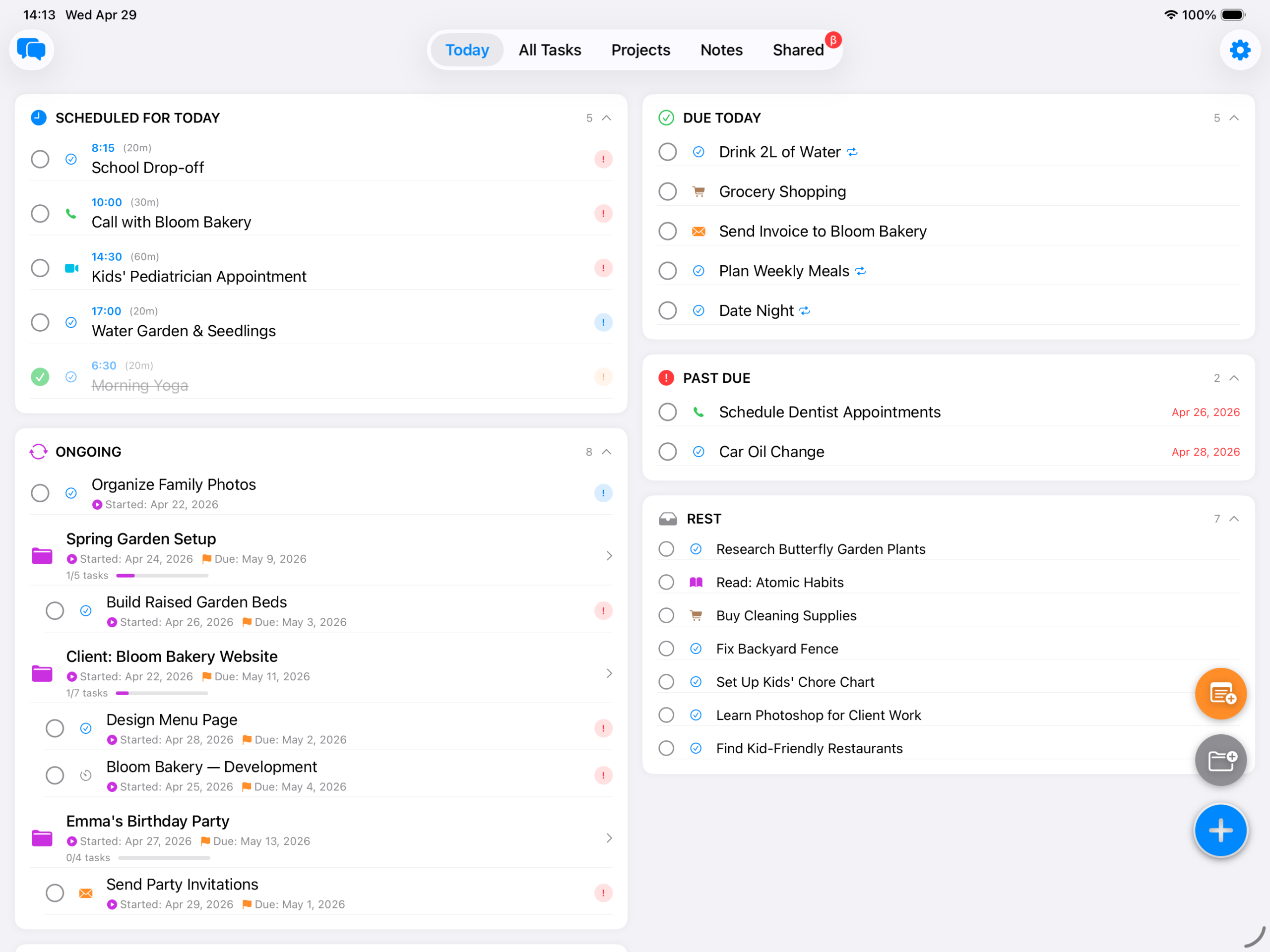
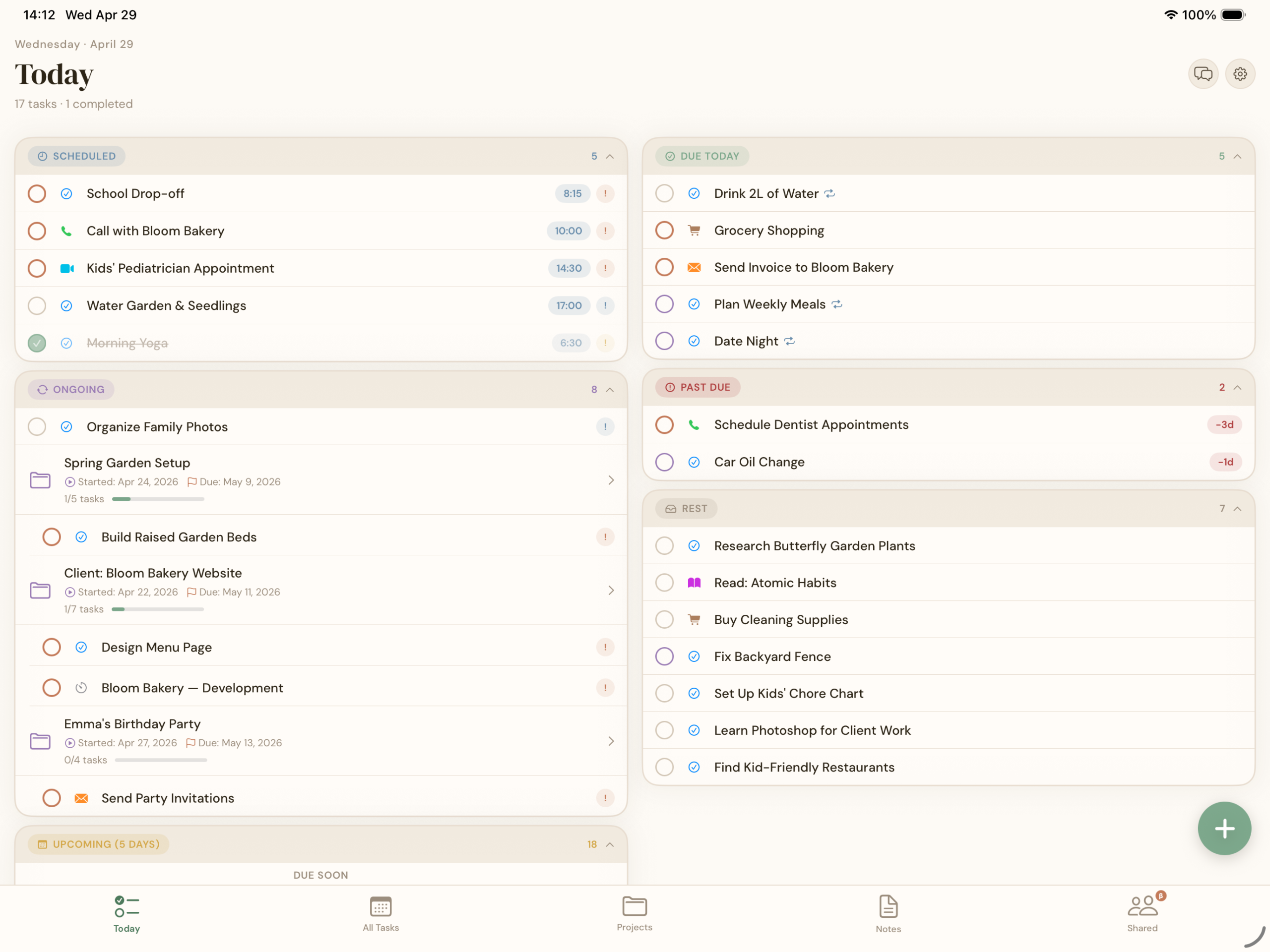
Between lectures, group projects, part-time work, and everything else, the last thing a student needs is a productivity app that takes an afternoon to configure. BetterKeeper's Smart Today View auto-sorts everything into Scheduled, Due Today, Overdue, and Upcoming — so your phone shows you exactly what to work on right now, every time you open it.

Every semester starts organized — then three weeks in, nothing is
You write every assignment down during syllabus week, maybe even colour-code them. By week three, some are in Apple Reminders, some are scribbled in a notebook, a few live only in your head, and that group project deadline? Somewhere in a chat you'll never scroll back to find.
The problem isn't that you don't try — it's that most task apps demand a system (folders, tags, priority matrices) before they start being useful. And when you're juggling five courses and a job, building a system is one more thing on the list that never gets done.
Add a deadline — BetterKeeper handles the rest
Type the assignment, set the due date, and it appears in the right section automatically — Scheduled if it's next week, Due Today when the day arrives, Overdue if you miss it. No folders to create, no tags to pick, no inbox to triage.
Group projects get their own project space with tasks, progress tracking, and notes. Share the project via iCloud and your study group sees real-time progress and can chat in a built-in channel — no extra app, no group chat confusion.
Everything students actually need — nothing they don't
-
Smart Today View Scheduled, Due Today, Overdue, and Upcoming — sorted automatically by deadline, every time you open the app.
-
Projects for group work One project per course or group assignment, with tasks, a deadline, and progress tracking so everyone knows how close you are to done.
-
Rich text notes Lecture notes, reading lists, project briefs — formatted and attached right to the task or project they belong to.
-
Recurring tasks for routines Weekly readings, lab reports, study sessions — set them once and they reappear on schedule without being recreated.
-
Home screen widgets A Today widget on your home screen means your deadlines are visible every time you pick up your phone — no app to open. See all widget options.
-
iCloud sharing for study groups Share a project with classmates via iCloud — they see progress and can chat in a built-in channel, no accounts to create.